new
Mobile APP
Dashboard
Push Notifications Segmentation
One of the most requested features is here! 🎉
Create and launch push notifications campaigns so you can reach your clients with promotions and news.
How to use:
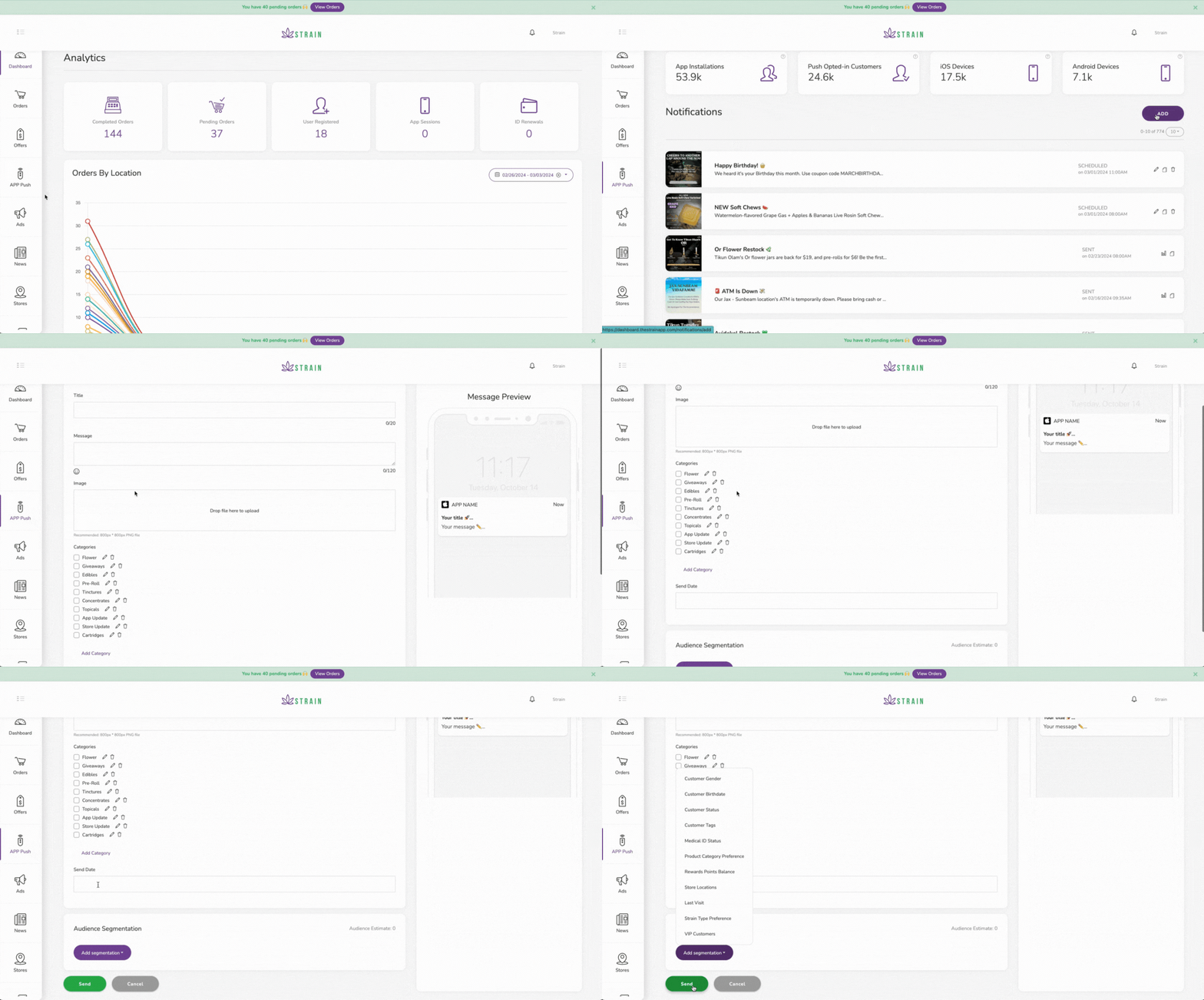
- Open your dashboard.
- On your main menu (Left bar) click on App push.
- Click ADD.
- Fill in the form: Name, message, image (optional), categories.
- Schedule sending date.
- Add audience segmentation.
- Send.
While you design you can see a preview of the message on the right.