new
Dashboard
Tax Rules
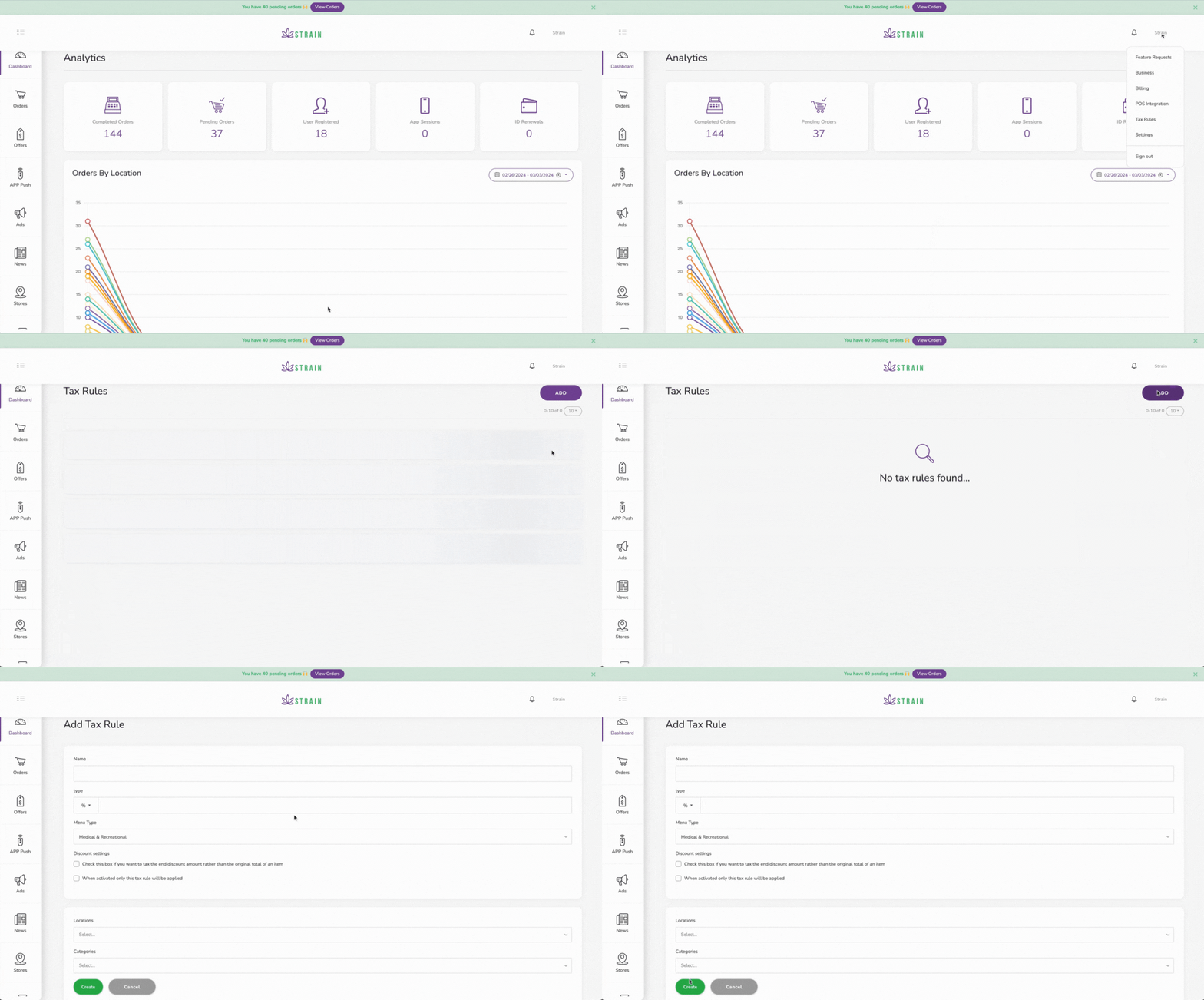
We developed a new workflow that allows you to set taxes on your products by category and location. This way you have more flexibility to comply with regulations.
How to use:
- Open your dashboard.
- Click on your account's name in the top right corner.
- Click on Tax Rules.
- Click on ADD so you can create a new one.
- Fill in the form: Name, Percentage or amount, Menu type.
Check the boxes If applies
- Select categories and locations where this tax applies.
- Click on Create.
Taxes will be applied to the products that meet the rule in the mobile app and ecommerce.